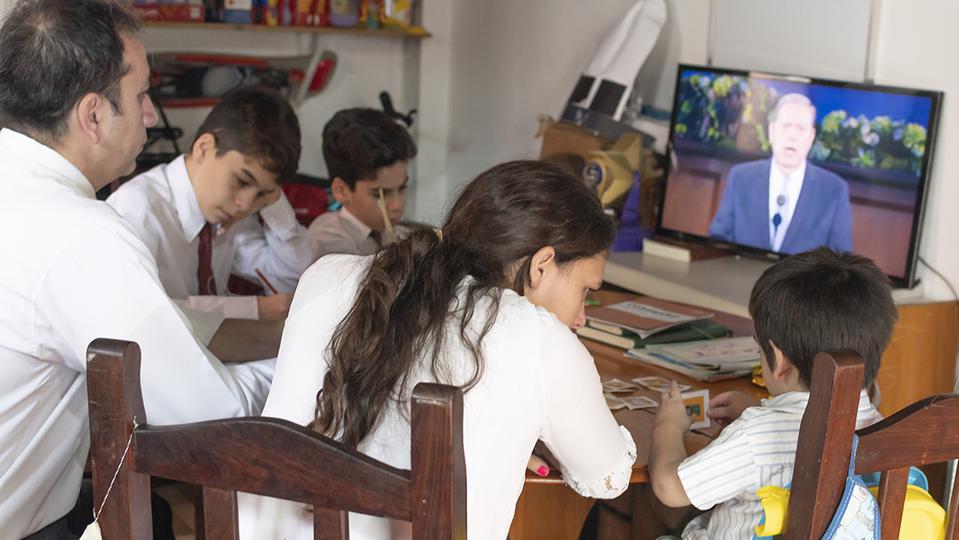
While the world struggles with a pandemic, economic hardship, social issues, political turmoil and uncertainty, leaders of The Church of Jesus Christ of Latter-day Saints will focus on the Savior’s messages of love, understanding, acceptance, hope, connection, and inclusion during the 190th Semiannual General Conference on October 3-4.
Despite not having a live audience at the Conference Center, the Church is using technology to offer more viewing and listening options than ever before, ensuring the largest global general conference audience to date.
General sessions for all audiences will be Saturday and Sunday at 10 a.m. and 2 p.m. mountain daylight time. A women’s session for all women and young women ages 11 and older will be Saturday evening at 6 p.m.
Can’t participate that weekend or just want to review what you learned? See the list at the end of the article for three ways to watch after conference at your convenience.
Consider the following five ways to watch or listen live.
1. Online
ChurchofJesusChrist.org. All sessions will be streamed live in more than 70 languages on the live broadcasts page. Select “Watch” for video or “Listen” for low-bandwidth audio only.

Church YouTube channel. All sessions will be streamed live in more than 30 languages.

BYUtv.org. All general sessions will be streamed live in English.
2. Mobile Apps
Gospel Library app. All sessions will be streamed live in more than 30 languages. Record and save your conference questions and inspired answers in the October 2020 publication.

Latter-day Saints Channel. All sessions will be streamed live in more than 10 languages.
YouTube app. All sessions will be streamed live in more than 30 languages. Search for the channel “General Conference of The Church of Jesus Christ.”

BYUtv apps (Roku, Apple TV, Amazon Fire TV, Chromecast, Xbox One and Windows Mobile). All sessions will be streamed live in English.

KSL TV app. All sessions will be streamed live in English.

KSL News Radio app. All sessions will be streamed live in English.
3. TV and Connected TV

Television, cable TV and satellite TV. Visit Bonneville International Corporation’s for a complete listing of stations by country. The media and broadcasting company is wholly owned by the Church.
BYUtv. All sessions will be streamed live in English on 154 cable TV providers. Please check your local listings or call 1 (866) 662-9888 for a provider in your area.

Latter-day Saints Channel on Apple TV, Fire TV and Android TV. All sessions will be streamed live in more than 10 languages.
YouTube app for connected TV devices and smart TVs (Roku, Apple TV, Fire TV, game consoles and smart DVD players). All sessions will be streamed live in English.

4. Radio
- Radio and internet radio stations throughout the world. All sessions will be streamed live in English. Visit Bonneville International Corporation’s website for a complete listing of stations by country.
- Latter-day Saints Channel (internet radio). All sessions will be streamed live in English and Spanish.
- Gospel Voice (Alexa and Google Assistant devices). All sessions will be streamed live in English. Listen to Saints Channel Talk Stream by saying:
- “Alexa, ask Gospel Voice to play general conference.”
- “Hey, Google, ask Gospel Voice to play general conference.”
- TuneIn Search for “Saints Channel Talk” or “Canal Mormon.” All sessions will be streamed live in English and Spanish.
- KSL NewsRadio. All sessions will be streamed live in English.
- BYUradio (online and SiriusXM). All sessions will be streamed live in English.
- Bonneville International Corporation low-bandwidth live audio streams. All sessions will be available in English, Spanish, French, Portuguese, Malagasy, Swahili, Amharic, Kinyarwanda and Kekchi. You can also search for local broadcasts in your area.
5. Smart Speakers

- Amazon Alexa Devices (Echo, Echo Dot, Amazon Fire TV Cube, etc.). Audio of all sessions will be streamed live in English and Spanish.
- For English, first add Gospel Voice* to your Alexa: Say, “Alexa, enable Gospel Voice.” Then say, “Alexa, ask Gospel Voice to play general conference.”
- For Spanish, first enable TuneIn skill, then say, “Alexa, open TuneIn Live.” Then say, “Alexa, play Canal Mormon,” or “Alexa, ask TuneIn to play Canal Mormon.”
- Google Assistant Devices (Home, Mini, Auto etc.). Audio of all sessions will be streamed live in English and Spanish.
- For English, first add Gospel Voice to your Google Assistant. Say, “Hey, Google. Talk to Gospel Voice.” Then say, “Hey Google, ask Gospel Voice to play general conference.”
- For Spanish, first enable TuneIn skill, then say, “Hey, Google, talk to TuneIn Live.” Then say, “Hey, Google, play Canal Mormon,” or “Hey, Google, ask TuneIn to play Canal Mormon.”
For additional language and broadcast details, see the general conference broadcast schedule.
*Gospel Voice is not affiliated with, or supported by Google Inc.
Gospel Voice is not affiliated with, or supported by Amazon.com
3 Ways to Enjoy Conference Later
1. Digital Archives
- Video and audio streams of full sessions will be available on conference.ChurchofJesusChrist.org immediately after each session, and downloadable session videos will be available on the Gospel Library app and conference.ChurchofJesusChrist.org within 6 hours of each session.
- Individual talk segments will be available on conference.ChurchofJesusChrist.org and on the Church iTunes channel in many languages within 24 hours after each session.
- Watch full sessions and music and talk segments in more than 10 languages on the general conference YouTube channel within 24 hours.
- Read the text of conference addresses in English in the Gospel Library app and at conference.ChurchofJesusChrist.org by the Wednesday after conference weekend. Text for most languages will be available within two weeks.
- On Latter-day Saints Channel in connected TV platforms and mobile apps, see the general conference collection in the “Watch” section.
- Read all conference talks online in the digital November issues of the Ensign and Liahona magazines. The digital November issues of the New Era and the Friend will also contain conference messages and features.
2. Print
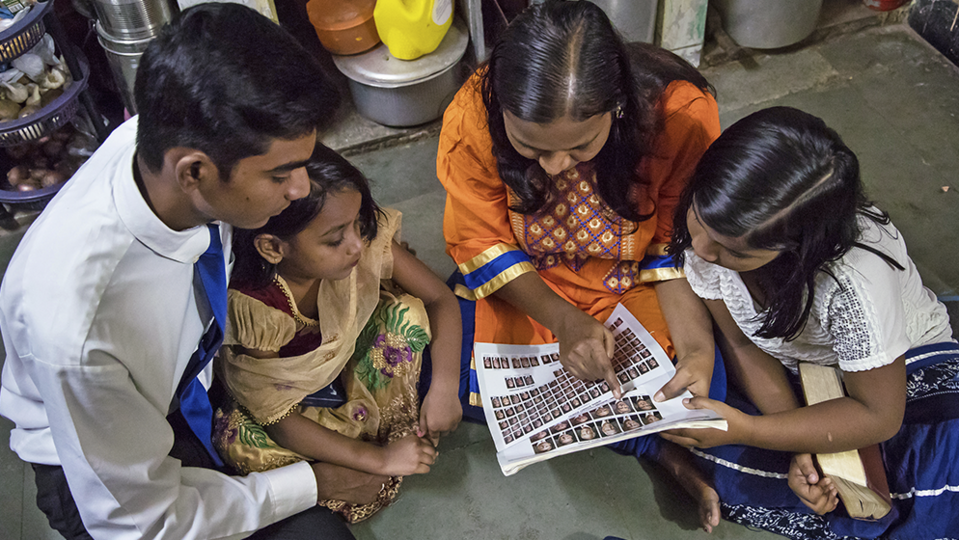
- Read the printed issues of the November Ensign and Liahona magazines, available in 33 languages. November issues of the New Era and the Friend also contain conference messages and features. To subscribe to Church magazines, visit Store.ChurchofJesusChrist.org.
3. Social Media
- Follow official Church and leaders’ social media accounts for more inspiration during general conference weekend and throughout the rest of the year.
- Follow conference news on the Newsroom Facebook group and the Church Instagram and Twitter feeds.
- Post conference related messages using #GeneralConference
Other conference resources are also available to help you prepare for and get the most out of conference.